Editable freelancer business workbook
Know what to charge, what has been paid, and which work is actually contributing.
Connect pricing, clients, projects, invoices, payments, refunds, expenses, and contribution in one practical Excel workbook—without adding another monthly SaaS subscription.
- No payment today
- Editable Excel workbook
- Built with sample data and documentation
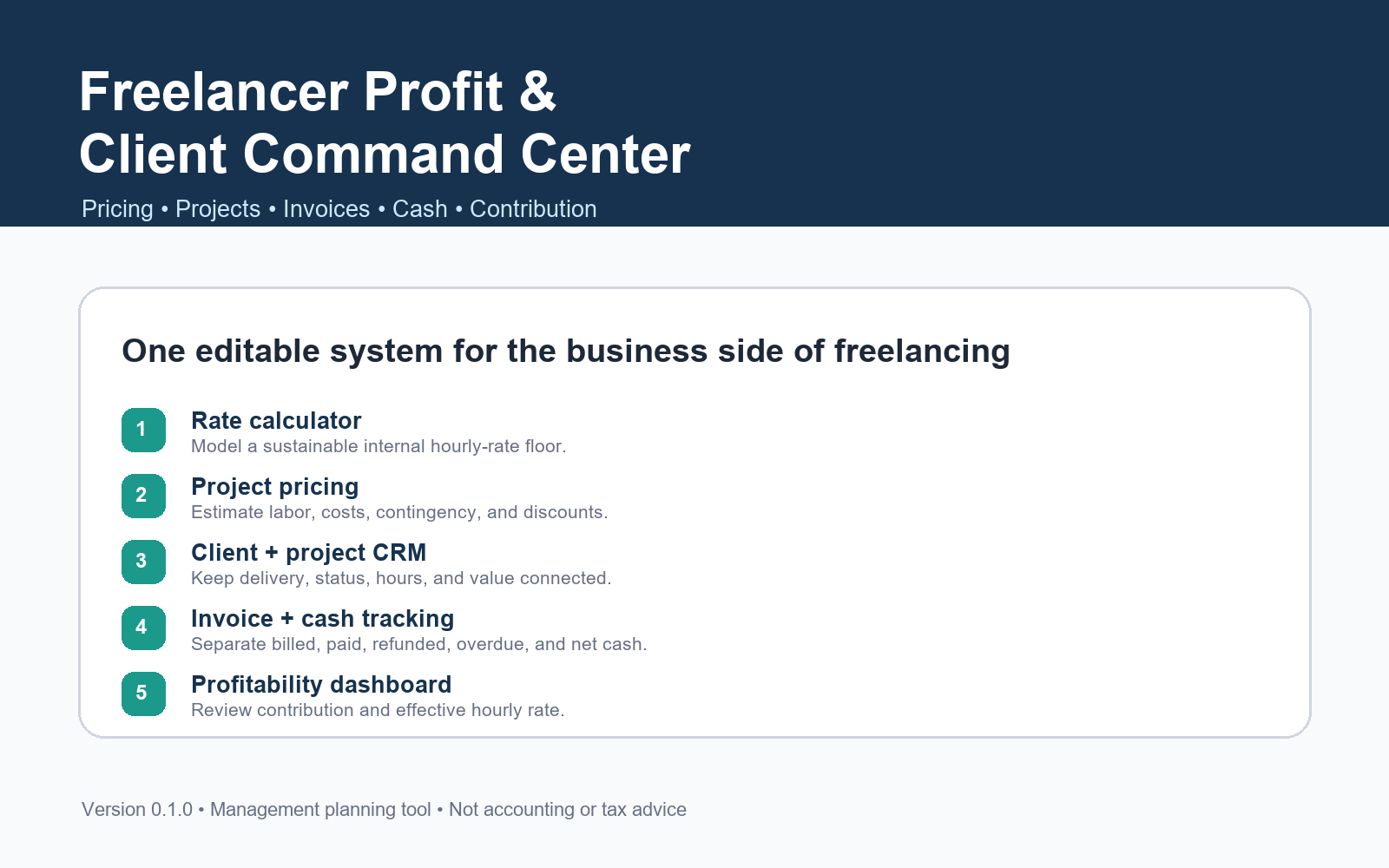
Product preview. Final early-access terms are not yet published.
The operating problem
Freelance revenue can look healthy while cash and profit remain unclear.
Quotes live in one file, invoices in another, hours somewhere else, and expenses are reviewed too late. That makes simple business questions unnecessarily difficult.
Which invoices are unpaid or overdue?
What remains after refunds, fees, and expenses?
Which projects produce the strongest hourly yield?
What's inside
One connected operating view—not another pile of disconnected templates.
Sustainable-rate calculator
Model an internal hourly-rate floor from owner compensation, overhead, available time, utilization, and target margin.
Project pricing scenarios
Estimate labor, direct costs, contingency, and planned discounts without losing the intended target price.
Client and project tracking
Keep client status, project value, deadlines, estimated hours, actual hours, and project contribution connected.
Invoice and cash tracking
Separate billed, paid, refunded, overdue, fee-adjusted, and outstanding amounts.
Contribution dashboard
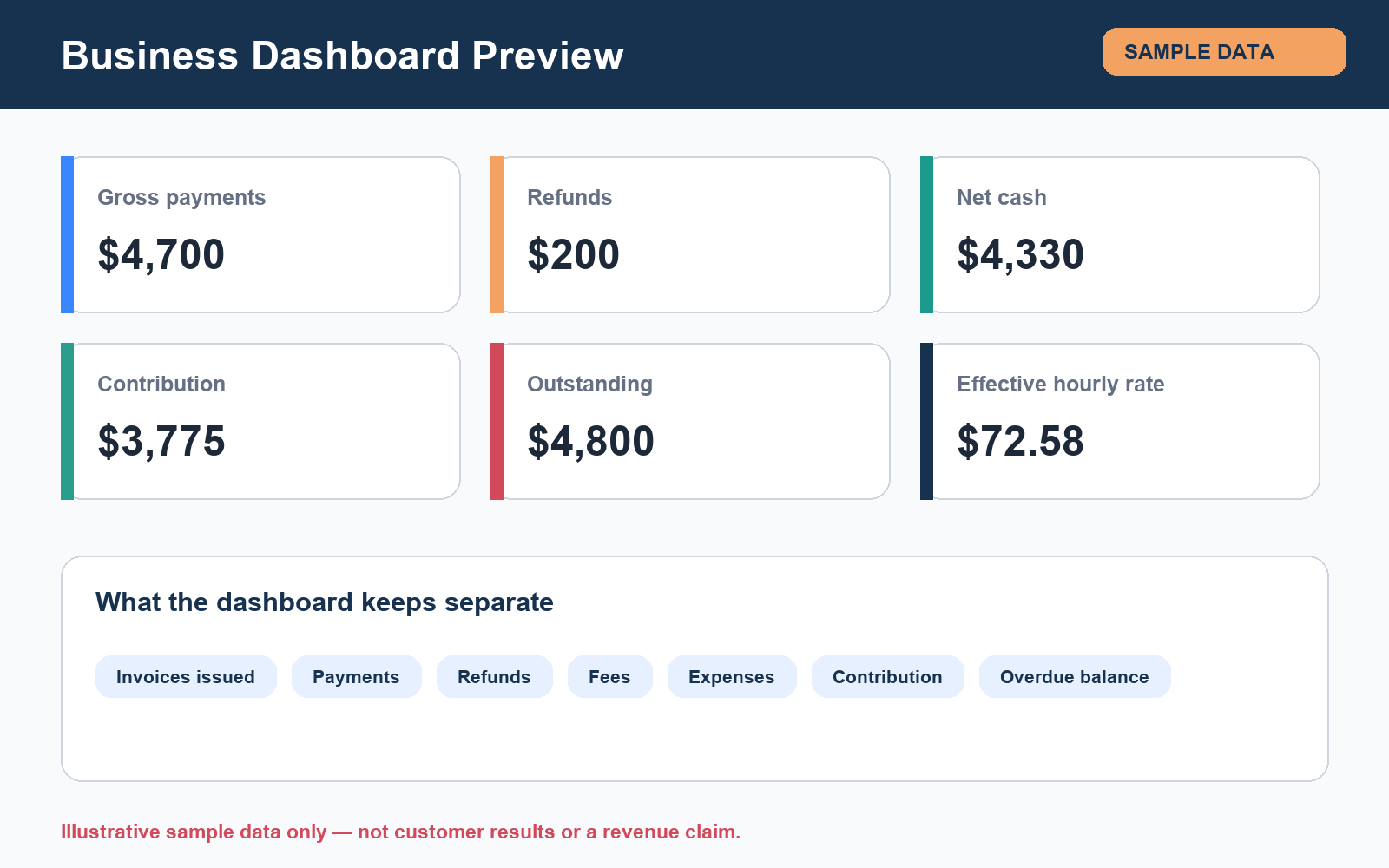
Review net transaction cash, expenses, contribution, overdue balances, and effective hourly rate.
Documentation and safeguards
Use sample data, dropdowns, a Quick Start guide, a formula dictionary, and clearly stated limitations.
Cash clarity
Keep the numbers that matter visibly separate.
The dashboard distinguishes gross payments, refunds, transaction fees, net cash, expenses, contribution, outstanding invoices, and overdue balances.
97 / 97 automated internal QA checks passed
Workbook structure, formulas, IDs, dropdowns, package integrity, and independent sample calculations were tested. This is product QA—not customer outcome evidence.
How it works
Move from assumptions to a clearer operating decision.
- 1
Set up
Enter currency, time, overhead, utilization, and margin assumptions.
- 2
Price
Model hours, direct costs, contingency, and discounts.
- 3
Deliver
Track clients, projects, quoted value, due dates, and actual hours.
- 4
Collect
Connect invoices to payments, refunds, transaction fees, and balances.
- 5
Review
Use contribution and effective hourly rate to inform the next decision.
A practical fit for
Freelancers who want an editable operating system.
- Consultants and solo service businesses
- Freelancers managing several clients or projects
- People comfortable entering their own transactions
- Users who prefer a one-time workbook to another subscription
Not designed for
- Statutory accounting or tax filing
- Bank synchronization or payment collection
- Payroll, inventory, or multi-entity consolidation
- Guaranteed income, collections, or profitability
FAQ
Clear boundaries before you join.
Is this accounting or tax software?
No. It is a management planning workbook. It does not produce statutory accounts or calculate VAT, sales tax, income tax, withholding, or payroll obligations.
Which currencies does it support?
You can label the workbook with a reporting currency such as USD, EUR, GBP, or EGP. It does not perform foreign-exchange conversion.
Does it work in Google Sheets?
The formulas use common spreadsheet functions, but the tested artifact is the Excel file. Google Sheets import behavior is still being verified and will not be promised until testing is complete.
Can it send invoices or collect payments?
No. It tracks information entered by the user. It does not send invoices, connect to a bank, process cards, or move money.
Does the rate calculator guarantee a profitable price?
No. It estimates an internal planning floor from your assumptions. Customer willingness to pay and real business outcomes must be validated separately.
What happens after I join the waitlist?
You will receive product-validation and early-access updates at the email address you provide. No payment is collected on this page, and you can unsubscribe at any time.
Early-access waitlist
Help shape the first public release.
Tell us what creates the most friction in your freelance business. Joining is free and does not reserve a purchase or guarantee launch access.
- No payment
- No fabricated urgency
- Unsubscribe anytime